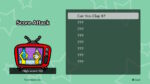
In Rhythm Heaven Groove, a new way to experience rhythm games was added with Night Mode. Frustratingly, however, the game itself does not tell players what it is or how to unlock it, it just mentions it by name. We’ll discuss how to unlock Night Mode below.
What is Night Mode?
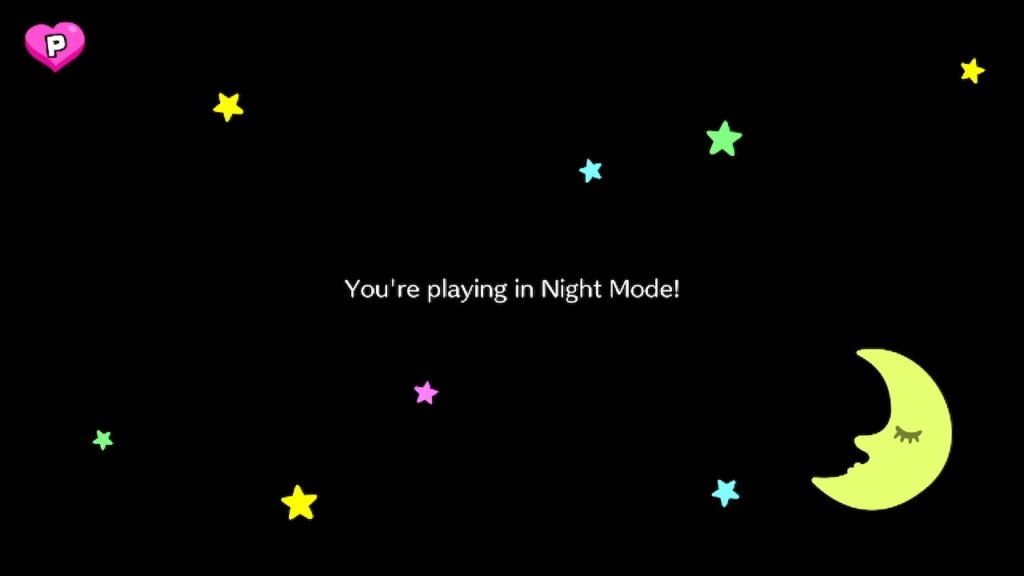
Night Mode (sometimes confused as Dark Mode) is an unlockable mode for each rhythm game, challenging players to play with an intentionally blackened screen, themed as a starry night scene. By removing all visual cues in this way, players must rely solely on their ears and sense of rhythm to play under the effect of Night Mode.
Night Mode also challenges players to get a Perfect in its mode as well, giving players a star on the perfect icon of the game, should they successfully get a Perfect.
This mode can be unlocked for each individual rhythm game by getting 3 consecutive perfects in an already Perfected rhythm game. We’ll clarify how in more detail in the next section.
Related: If you don’t have a Perfect yet, or don’t know how to get them to appear, please visit our guide on How to Get Perfects in Rhythm Heaven Groove for further details!
How to Unlock Night Mode

In order to unlock Night Mode, players must already have gotten a Perfect on a rhythm game, which itself can only occur when a player gets an “Amazing” rating on a game, and when the game then prompts the player to return to it.
After getting a Perfect (if not done already), The next time you play a Perfected rhythm game, you’ll see a menu with the option to “Play Normally”, or “Go for Perfect!”

By selecting the option to “Go for Perfect” and by successfully clearing the rhythm game again, you’ll be given another certificate on-screen, and the Perfect symbol on the game description will now have three dots beside it, with one dot colored pink. This is the beginning of a Perfect Streak.

When completing the streak with a total of 3 consecutive Perfects, a Rainbow Perfect will appear on the rhythm game, and Night Mode will then appear as a permanently unlocked choice the next time the game is played.
What Affects a Perfect Streak?

A perfect streak begins once a player selects “Go For Perfect” on a Perfected game, and successfully gets another Perfect. However, there are a few things to keep in mind about this process:
You don’t have to finish the streak in one sitting – While it’s definitely fine to complete a streak all at once, you can pace yourself by turning off the game, playing a different rhythm game, or any of the other modes without losing your streak. Your streak will remain intact, waiting for the next time you play that specific rhythm game.
You can have multiple concurrent streaks at once – You don’t even have to focus on completing a full streak before starting a new one. Each rhythm game tracks its own Perfect Streak progress, and a Perfect Streak can only be lost by failing a Perfect on its specific rhythm game. This means that you could have a perfect streak on every game at once, and only lose progress on the individual game you fail a Perfect on.
You can’t cheat the system – Once you start a Perfect Streak, just like the initial three-life system, you cannot try to cheat the system by closing the game, turning the system off, etc. Every Perfect attempt saves right when you start a rhythm game, so the game will consider any abandoned plays as failure. You could, however, make use of the Nintendo Switch Online Cloud Save feature, and restore progress from prior save data that had a streak.
You have to repeat this process for each rhythm game – As each game has its own Perfect Streak, you will need to follow this process for each game you want to unlock Night Mode on.
Night Mode Recap

To recap, Night Mode is a new challenge for players of Rhythm Heaven Groove, testing players’ rhythm by obscuring the screen and removing visual cues. It also has its own Perfect challenge, too.
Night Mode can only be unlocked by already having a Perfect rating on a game, and then selecting “Go for Perfect” to begin a Perfect Streak.
Once unlocked, Night Mode can be freely selected at any time by choice, and is permanently accessible to players.
That’s all we have on Night Mode for Rhythm Heaven Groove! Curious about our thoughts on the game? You can check out our Rhythm Heaven Groove review, written by a longstanding fan of the franchise.