Nintendo’s latest flagship system is the Nintendo Switch 2, and yet, without hands-on experience or existing knowledge, it’s not hard to wonder what the Nintendo Switch / Switch 2 is, how the system works, and if it’s worth investing in. Especially given the multiple hardware releases and periphery sold for it!
Fortunately, we’ll demystify the system, and give a brief overview of its models, Nintendo’s various exclusive titles, and even delve into some FAQs!
What the Nintendo Switch (2) Is
Officially, the Nintendo Switch (and Switch 2) is a hybrid handheld/console game system, with the main unit consisting of a fully portable gaming tablet. If you have a non-Lite model of Switch, the system can also be placed inside of a Dock (a physical adapter that plugs into an outlet, and outputs video to a TV/Monitor), and within seconds, the system outputs video just like a traditional console, with no prior fiddling with settings or anything of the sort. Just insert and play!
Now, if you rolled your eyes at reading that the Switch is a tablet, rest assured, it isn’t the typical Android/Apple tablet where you download quick, 5-minute games and have to fight off ads or microtransactions. (Thank goodness!) The form factor of the device itself is a tablet, but it’s powerful enough to comfortably play full-length, 3rd party console games, like Monster Hunter: RISE, Borderlands 2, and even Warframe!
And since it’s still a console with built-in storage, you can install games directly onto the Switch, add storage with compatible SD Cards (more on that later), and even play the system as-is without being tethered to a TV or monitor, unlike other consoles.
This portability factor is the biggest appeal of the Nintendo Switch. There aren’t awkward made-for-portable ports of games, no local connection or streaming-only restrictions (unless a game requires internet to play), and the ability to play games like Diablo 3 fully portably all enhance the gaming experience as a whole. Best of all, its physical games are all region-free (except mainland China games/systems and a few niche exceptions) and can typically be played immediately without installing anything!
So you can run to a store’s game aisle, buy a physical game (that isn’t a Game Key Card or states “Internet download required”), and start immediately playing the game, even if you bought it on holiday in another country!
Can Other People Play It, Too?
If you typically play with others, you will be pleased to hear that the Switch is fully multiplayer capable, with the system sporting both local play with other systems, multiple players on the same system, and even connection to other players through the internet! If you plan on sharing a system within a household, you can make up to 8 user profiles as well, so that everyone keeps their own data and progression!
In fact, the colorful, detachable controllers used by the Switch, dubbed “Joy-Con”, are just as versatile as the system itself! Every new, non-lite system comes with a Left Joy-Con and a Right Joy-Con, which can be used as a single controller pairing in each hand for one person, or split into two individual controllers at any time! (This is done by pressing the ZL and ZR buttons when on the controller applet.) This also means that if you bought a system (and a compatible game), you can immediately play local multiplayer with another person with no further investment required!
All in all the Switch is an impressive piece of technology, and of course, being a console, Nintendo maintains its own list of exclusive franchises and games that are released only on Nintendo hardware. We’ll explore these franchises a bit more in depth below:
Nintendo-Exclusive Franchises
As with any console, the Nintendo Switch has exclusive franchises that cannot be purchased or played on any other console. These franchises include:
- Super Mario (and spin-off franchises Mario Kart, Mario Party, Super Mario Maker, Mario Tennis, Strikers, Golf, etc.)
- WarioWare
- The Legend of Zelda (including spin-off franchise Hyrule Warriors)
- Pokémon
- Donkey Kong
- Yoshi
- Kirby (and Kirby Air Ride[rs] )
- Metroid (and Metroid Prime)
- Splatoon
- Animal Crossing
- Super Smash Bros.
- Fire Emblem
- Star Fox
- Pikmin
- Rhythm Heaven
And even more!
As you can see, Nintendo has a lot of exclusive titles and franchises, so if any games from these franchises pique your interest, you’ll want to consider investing into one of the Nintendo Switch family of consoles, which we’ll discuss next.
Exploring the Nintendo Switch Family
As of now, the Nintendo Switch has three consoles in its hardware family: The Nintendo Switch, Nintendo Switch Lite, and the Nintendo Switch (OLED) model. The Nintendo Switch 2, being a complete hardware upgrade, is currently the most future-proof model, with an expanded roster of games only it can play.
Despite this, all models share the same ecosystem and UI design, can all use the original Joy-Con and Pro Controller series of controllers, and can connect to each other to play compatible games. It is for this reason that we have included the Nintendo Switch 2 along with its predecessor models.
We’ll explore each unit, as well as the features of each model, to help you understand which model is best for you.
Important: some games are Nintendo Switch 2 exclusives, and are not compatible with other Switch Models. If you want the most compatibility, consider the Nintendo Switch 2.
The Original – The Nintendo Switch
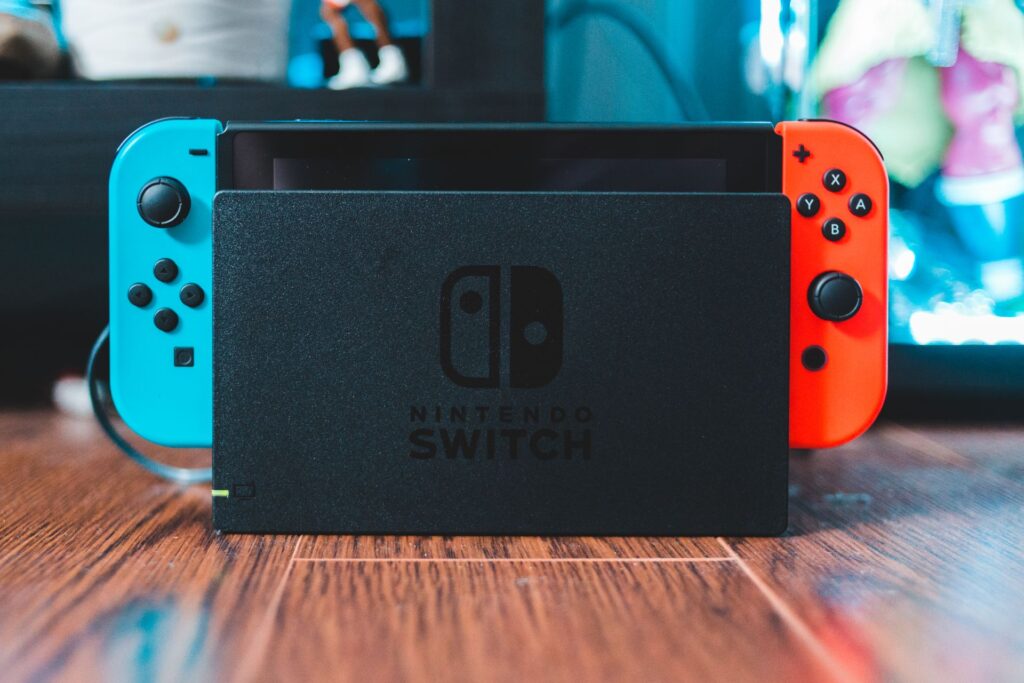
The original Nintendo Switch model is where it all began. Releasing in 2017 on March 3rd globally, the Nintendo Switch started off with rocky supply issues, but had become the fastest selling console of its generation despite it. (For more detail about its history, check out our info-taining History of the Nintendo Switch post! You won’t be dissapointed.) It is preceeded by the Wii U, and has an upgraded sequel model in the Nintendo Switch 2.
The biggest appeal of the Nintendo Switch was that it was the first console of its kind to double not only as a traditional console, but also as a portable handheld unit, playing full-fidelity console games like Breath of the Wild, or Bethesda’s Skyrim, literally anywhere. And we do mean anywhere.
The secret to this portability, is that the main unit is actually a tablet, and this same unit can be played as-is, inserted into its included dock to output to any HDMI-compatible TV, or played on a table by opening its kickstand. It’s as simple as that. There’s no complicated pairing, calibrating, additional purchases, or network dependency to simply use the console in this way; everything you need is in the box.
Unlike Playstation and Xbox’s stationary, outlet-dependent consoles, you can remove the main unit from its dock, play the Switch around the house, at work, on vacation, etc., and then come back home, put it into its dock, and enjoy playing where you left off when you were out and about. As a bonus, inserting the Switch into its dock charges it, so you can let it charge overnight and pick it up again in the morning, fully charged.
While the other Switch models all have more noteworthy features, it remains the cheapest dockable entry if you want to experience the hybrid portable/console nature the Switch is famed for. All of its games, as well as its controllers, can be used on other models as well.
If your mind is already set on buying an original Switch, you can do so with this link. (Affiliate Link) Please note that this model does not support Switch 2 games.
Specs and Features:
| The Nintendo Switch (Original Model) | |
|---|---|
| Size: | 4 inches vertical, 9.5 inches long, 0.55 inches deep (with Joy-Con attached). |
| Weight: | 0.66 pounds, (0.88 pounds with Joy-Con attached) |
| Kickstand: | Yes (2 cm wide by 6 cm tall hard plastic kickstand) |
| Screen: | 6.2-inch LCD multi-touch capacitive screen. |
| TV Output: | Yes, up to 1080p, 60fps. |
| Handheld Resolution: | 720p, up to 60fps |
| Battery: | 4310mAh Lithium-ion battery |
| Storage: | 32GB (expandable up to 2TB with MicroSD cards) |
Pros:
- Can be Docked – is cheapest dockable model
- The most portable model – controllers can be detached and the main unit fits in a pocket
- Second-most affordable model
Cons:
- Not as distinct as other models
- Kickstand is not very reliable on non-level surfaces
If you feel the original model is best for you (and are ok with not playing Switch 2 games), you can purchase a Switch with my affiliate link below:
Check Nintendo Switch pricing on Amazon
The Value Model – The Switch Lite
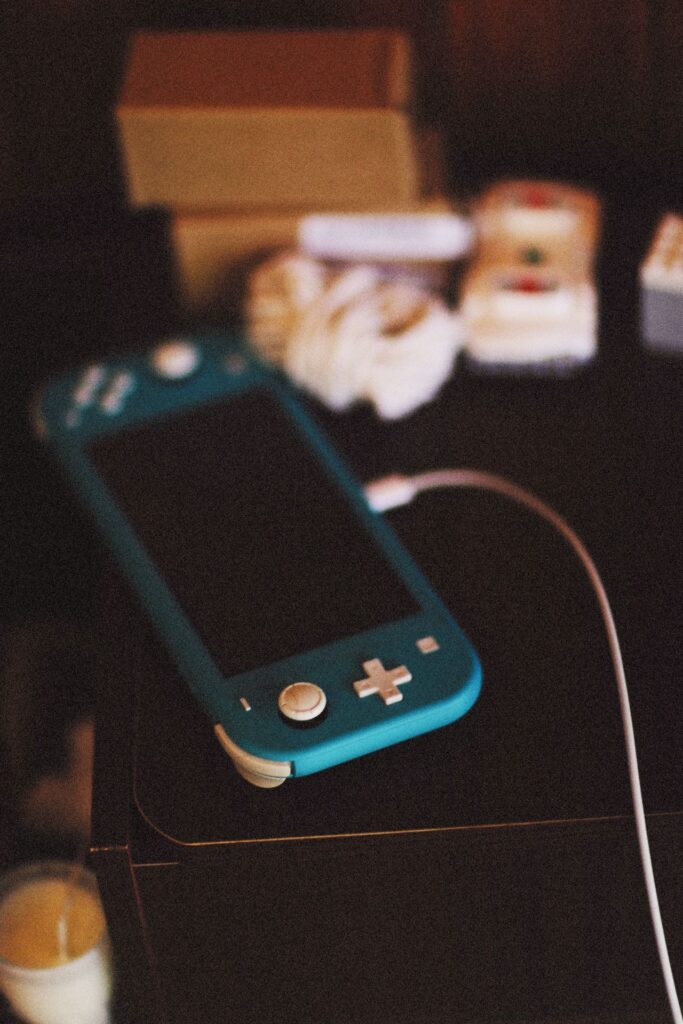
The second model of Switch is that of the Switch Lite, a smaller, budget-friendly, and more colorful model of Switch. Releasing in five color variants, being Blue, Gray, Turquoise, Yellow, and Coral, the Lite is a more colorful, personable model of Switch.
The Switch Lite, however, lacks TV output, doesn’t have a kickstand, and has built-in controllers that cannot be detached. It also uses a traditional D-pad instead of the separated directional buttons found in the other models.
This model of Switch (released Sept. 20th, 2019) debuted at a lower price point than the original Nintendo Switch, and retains compatibility with all other Switch controllers and games. Additional Joy-Con can even be paired to the unit for local multiplayer or tabletop play.
For those who find the other Switch models a bit pricey, the Switch Lite may be a good fit to experience the portable-only play and extensive library of games.
You can purchase a Switch Lite through my Amazon affiliate link, though please keep in mind that Switch 2 games are not compatible with the Switch Lite.
Specs and Features:
| The Nintendo Switch Lite | |
|---|---|
| Size: | 3.6 inches vertical, 8.2 inches long, 0.55 inches deep (with Joy-Con attached). |
| Weight: | ~0.61 pounds |
| Kickstand: | None |
| Screen: | 5.5-inch LCD multi-touch capacitive screen. |
| TV Output: | N/A (No video card) |
| Handheld Resolution: | 720p, up to 60fps |
| Battery: | 3570mAh Lithium-ion battery |
| Storage: | 32GB (expandable up to 2TB with MicroSD cards) |
Pros:
- Colorful
- The most affordable option
- Can feel more personal
Cons:
- Cannot be Docked/Output to TV
- Built-in Joy-Con cannot be detached from unit (Though normal Joy-Con and wired/wireless controllers are compatible)
- No kickstand, unit must be played handheld or propped up if using external controllers
If the Switch Lite sounds like what you’re looking for, you can buy it on Amazon with my affiliate link below:
View Nintendo Switch Lite pricing on Amazon
The Visually Enhanced – OLED Model
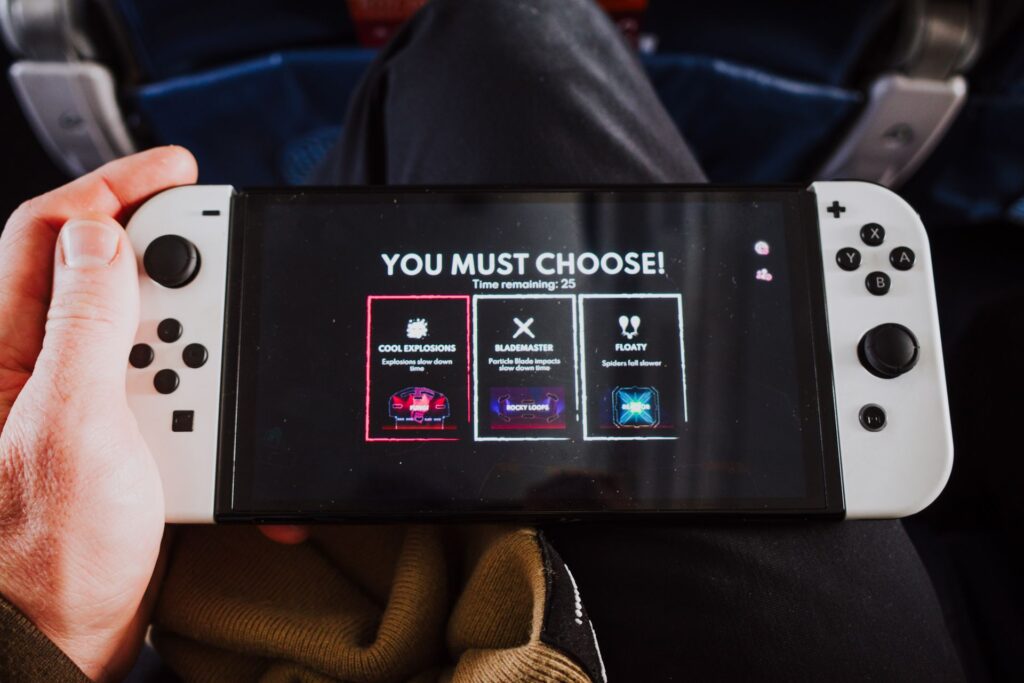
The OLED model Nintendo Switch was released on October 8th, 2021, and true to its name, upgrades from the LCD displays found in the other models with a 7″ OLED display. Colors are far more vibrant on this model, though there is no difference in Docked video output compared to the original Switch.
Aside from the visual improvements, the console also has an increased storage capacity of 64GB, a redesigned, more reliable console-width kickstand, enhanced front-facing speakers, as well as an enhanced dock with ethernet connection. Existing docks are still compatible with OLED models, and all Switch games and controllers retain functionality.
While advertised for its visuals, the OLED Switch has had the best battery efficiency of all the Switch Consoles I’ve owned, even after the release of the Switch 2.
If you’re interested in buying a OLED Switch, you can do so with my Amazon affiliate link, but again, please keep in mind that Switch 2 games will not work on this model!
Specs and Features:
| The Nintendo Switch (OLED Model) | |
|---|---|
| Size: | 4 inches vertical, 9.5 inches long, 0.55 inches deep (with Joy-Con attached). |
| Weight: | 0.71 pounds, (0.93 pounds with Joy-Con attached) |
| Kickstand: | Yes (thick, flexible, console-length hard plastic kickstand.) |
| Screen: | 7.0 inch OLED multi-touch capacitive screen. |
| TV Output: | Yes, up to 1080p, 60fps. |
| Handheld Resolution: | 720p, up to 60fps |
| Battery: | 4310mAh Lithium-ion battery |
| Storage: | 64GB (expandable up to 2TB with MicroSD cards) |
Pros:
- Best battery efficiency of all models
- Can be docked, is compatible with existing docks
- Increased system storage capacity from prior models
- Enhanced console-width kickstand
- Enhanced dock with ethernet port
Cons:
- Is the 2nd most expensive of the console family
- OLED display only benefits handheld/tabletop play; no improvement in Docked video output.
- May not be worth the upgrade if already own a Nintendo Switch.
For the best overall experience, the OLED Switch is my personal recommendation, but again, this system is not compatible with Nintendo Switch 2 games. If you still want to buy an OLED Switch, you can do so with my affiliate link below:
Buy Nintendo Switch (OLED) on Amazon
The Next-Gen Powerhouse – The Switch 2
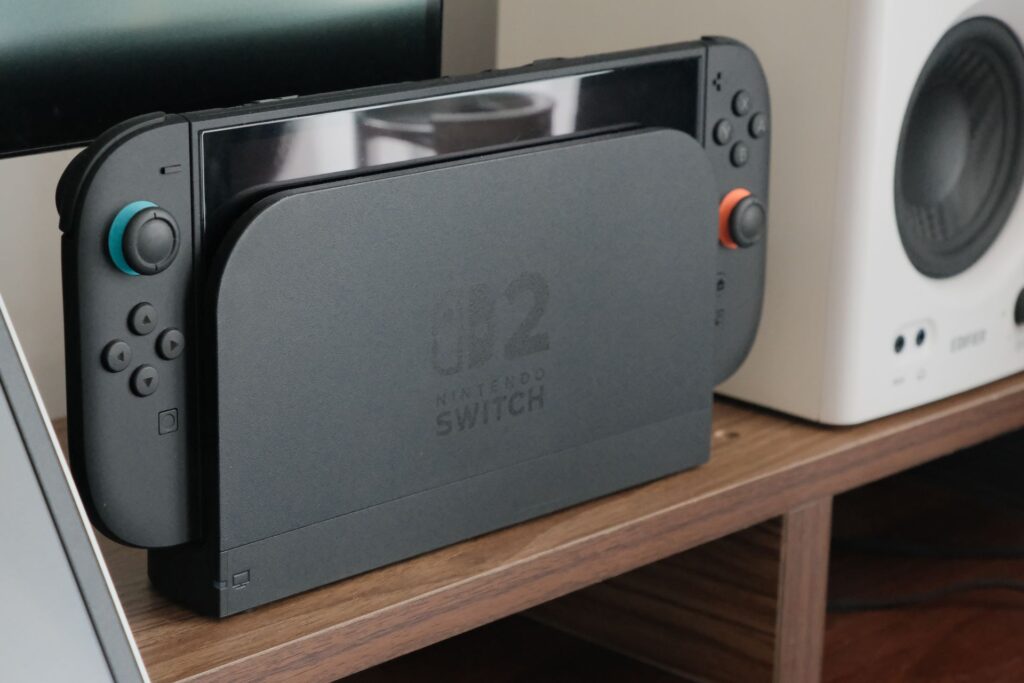
The Nintendo Switch 2, released on June 5th, 2025, adds a new lineup of Switch 2 exclusive games, with a beefier 12GB of RAM, 256 GBs of internal storage, handheld resolution of 1080p @120fps with VRR and HDR10, and TV output of up to 1440p @ 120fps, or 4K @ 60fps, both with HDR10. The newer Joy Con 2 no longer slide into the system, but are instead magnetized to the main unit. Older model controllers are still compatible as well, though the legacy Joy-Con (R) controllers lose the ability to wake the system.
It still looks like a Nintendo Switch, and maintains backward compatibility with the Switch’s existing lineup of games (with a system update), but it also sports two USB-C ports, a built-in mic, surround sound speakers, another redesigned console-width kickstand, new system features in GameChat and GameShare, and various exclusive Quality of Life additions unique to the Nintendo Switch 2.
While the name implies an overall improved and distinct console, existing Switch owners will be pleased to hear the Switch 2 still plays nicely with the older hardware models and controllers, and participates in the same Switch ecosystem instead of scrapping it all with the new hardware:
The system UI still looks and feels like that of the rest of the Nintendo Switch family (albeit more playful), and the Nintendo Switch 2 still maintains compatiblility and connectivity with other Nintendo Switch systems and games. There’s no cross-generational hardware lockout.
Adding to the connectivity note, Nintendo Switch 2 consoles can freely transfer save data back and forth for Nintendo Switch games with the prior models, and some new (and old) physical games are being released as “Nintendo Switch 2 editions”, allowing cross-compatibility for a game to be played on both the previous Switch models, as well as the Switch 2, with the performance upgrade data written onto the cartridge itself.
So, if you have a Switch Lite, a Switch 2, and a Switch 2 edition game, you can progress at home on the Switch 2, transfer your save data manually or through Nintendo Switch Online’s cloud saves, insert the game into your Switch Lite, and continue where you left off, then transfer the data and game back again.
If you’re looking for the current most future-proof Switch console, you can buy the Nintendo Switch 2 now on Amazon (affiliate link).
Specs and Features:
| The Nintendo Switch 2 | |
|---|---|
| Size: | 4.5 inches vertical, 10.7 inches long, 0.55 inches deep (with Joy-Con 2 attached). |
| Weight: | ~0.88 pounds, (1.18 pounds with Joy-Con 2 attached) |
| Kickstand: | Yes (thin, flexible, console-length metal kickstand) |
| Screen: | 7.9-inch LCD multi-touch capacitive screen |
| TV Output: | Yes, up to 2160p @ 60fps, or 1440p @ 120fps. |
| Handheld Resolution: | 1080p, up to 120fps, with HDR10 and VRR. |
| Battery: | 5220mAh Lithium-ion battery |
| Storage: | 256GB (expandable up to 2TB with MicroSD Express cards) |
Pros:
- Highest system storage capacity
- Most powerful Switch model
- New Switch 2 lineup of games, including Cyberpunk 2077 and the Final Fantasy VII Remake series
- Nearly all existing Nintendo Switch games are compatible
- Some Switch 1 games are given free performance/visual upgrades through free updates
- Enhanced System features
- Additional USB-C Port on top of unit
- Built-in microphone for voice chat
Cons:
- Most expensive model
- Heaviest and widest of the systems
- Not as pocketable, though still portable
- Highest battery drain, even when in sleep mode
- Not compatible with older switch docks
- Some Nintendo Switch 1 games require the original Joy-Con for use.
- Not compatible with MicroSD cards; uses MicroSD Express
- Most third-party physical releases are Game-Key Cards, and require full-game downloads
If the Nintendo Switch 2 sounds like the best choice for you, you can use my affiliate link below to purchase it (I would be compensated for purchases made using the link):
Buy the Nintendo Switch 2 on Amazon
A Summarized Comparison
The different console models do have their own use cases, but to simplify things:
If you want to ensure you have access to the most games and/or want the most power, choose the Nintendo Switch 2. The other consoles will not be able to play Nintendo Switch 2 games.
If you want the best battery efficiency and don’t mind missing out on the Switch 2 exclusives/ports, the OLED model is the best overall choice.
The Switch Lite may be best if you want a strictly portable experience or the cheapest option to give to children.
The original Switch is the cheapest dockable option, and could even be used as a “home” system that can sit Docked in a living room, while the other models are used when out and about.
Reagrdless of which system(s) you choose, we’ve also already written about how simple it is to set up a Nintendo Switch, so feel free to look there if interested!
FAQs
Lastly, to wrap-up this already lengthy post, we’ve comprised a list of FAQs for quick reference.
Q: Is the Nintendo Switch worth it?
As a person who grew up alongside multiple handheld systems and even the competing consoles, the Nintendo Switch/Switch 2 still remains my go-to gaming console of choice.
Instead of being forced to stay stationary and needing an output display, you can play an ever-growing roster of games portably, without worrying about power outages, storms, or accidental unplugs corrupting the system storage. If you want to play Docked on a TV or monitor, all non-lite models retain this capability.
With the likes of the Playstation 5 and Xbox Series requiring additional hardware (and internet) to attempt portable play, the Switch is an all-in-one system that lets you seamlessly play on a TV, or out and about, and has controllers you can pass-and-play with just about anyone, anywhere, without worrying about network connections. And if you should buy a physical, non game-key card game, you can play it immediately without any installation needed.
Q: Is the Switch a tablet or a console?
Make no mistake, however, the Switch’s lineup of games are full console experiences, and the on-board chips powering the Switch and Switch 2 models are powerful enough to comfortably run its burgeoning lineup of games. Just like the flagship consoles from Playstation and Xbox, the Switch can also connect to a TV with the use of a HDMI cable (when placed in a powered dock).
Q: How Do I Remove the Joy-Con from the System?
For the original Switch and OLED Switch models, each Joy-Con has a small, black push button on the underside of the controller, near the triggers. Hold that button in to release the lock mechanism, and slide the controller upward to remove it from the console. You can reinsert the controller by sliding it back along the rail system without needing to press the button.
For Switch 2 and Joy-Con 2, there is a black lever also near the triggers, and you remove the controllers by holding the lever and pulling the controllers away from the system (left for Left Joy-Con 2, right for Right Joy-Con 2).
Q: Does the Switch have a Touch Screen?
A word of caution however: anything that uses the touchscreen drains the battery life faster.
Q: Are there low battery battery indicators?
At 0%, the system goes into a low-power sleep mode, though if you can charge the system before it fully depletes, your game session is kept intact, and can be resumed from when it entered sleep mode!
Q: Is the Switch / Switch 2 Region-Free?
With the exception of Chinese models, digital purchases, and a Japanese-only Switch 2 console release, physical Switch games and consoles are region-free, and can be played anywhere, anytime, on any hardware region Switch. You could buy a physical game or console in another country and it would be playable, barring the aforementioned exceptions.
Q: Can it run YouTube?
Q: How do you change between Docked/Handheld/Tabletop Modes?
When you remove the Switch from the Dock, it’s “Handheld” if the controllers are attached, or “Tabletop” if the controllers are detached and you’re propping it up on its kickstand.
Q: Are the games truly portable?
Similar to the above, just insert or remove the Switch from its dock. That’s it!
Q: Can the Switch play physical games?
Barring Game-Key Cards, these cards usually contain the full game on the card itself, though rare exceptions exist in which the game may need to be downloaded through updates (like Starlink: Battle for Atlas), or through additional digital codes (like Borderlands: the Handsome Collection, or other compilation releases).
It’s also worth noting that physical games are region-free, and can be played immediately after being inserted (barring the aforementioned exceptions). Unlike Xbox and Playstation, there is no install process. Simply insert and play!
Q: Is Save Data saved on the Console, or on Game Cards?
This means that unlike DS/3DS game cards, you can freely share/borrow/trade physical games with other people, without worrying about save data loss, since the cards are read-only.
Q: Is the storage on the Switch/Switch 2 expandable?
For the original Switch family models (OLED, Switch, Lite), Nintendo recommends using a MicroSD card with a UHS-I speed class or higher, and a transfer speed of at least 60-95 MB/s, though faster SD card speed classes and a max capacity of 2TB are supported. Kingston Technology has written a very simple guide explaining memory card speed classes if you need to reference it.
As for the Switch 2, MicroSD Express cards are exclusively utilized, and likewise have a max supported capacity of 2 TB. According to Nintendo, while you could technically insert a MicroSD card used in a Nintendo Switch to access captured videos and screenshots, the MicroSD card will not be usable to play downloaded games.
Q: Aren’t Nintendo Games Childish?
While Nintendo’s exclusives and intellectual property trend towards younger audiences, some franchises, like Metroid, The Legend of Zelda, and Fire Emblem, trend towards more mature themes, gameplay, and plots. Nintendo’s games as a whole tend to be more centered on fun for the whole family, and usually omit themes of sexual/suggestive content, gore, graphic violence, and social/political commentary.
That being said, some Nintendo games can be pretty simple and straight-to-the point. Compared to its competitors, Nintendo’s games can sometimes lack a depth of nuanced storytelling and complexity of gameplay found in the more mature-themed games. I believe when people call Nintendo’s games childish, they’re referring to this aspect of their games, though franchises like Yoshi, Pokémon, and Kirby do at times seem oriented to the youngest audiences.
Q: Is the Switch 2 backward compatible with Switch 1 games?
The Nintendo Switch 2 is generally compatible with all Switch games, however, some games require use of the original Joy-Con (and sometimes other accessories) to fully play as intended.
This means games like Nintendo Labo, Ring Fit Adventure, 1-2-Switch, or similar titles may require additional hardware investments if you only have a Switch 2. You can read more about these restrictions here, or perform a general search on compatibility from Nintendo’s official site.
Q: I want to share my gameplay with others. Do I need a Capture Card?
If you’re wanting to share simple screenshots or 30 second videos, all Switch models have a built-in capture feature, and allow you to export your captures to your phone or social media.
If you’re wanting to do a video chat, the Switch 2 has a button specifically for that, and allows you to share your screen with friends if you have an active Nintendo Switch Online membership.
If you want to stream on a game streaming service, or to simply record gameplay above 720p, 30 fps, then yes, a capture card is required.